
Someone has interacted with your Wikipoint.
34opens
6clicks on Book
Today, people look for you on Google. Tomorrow, they may ask AI. Prepare your business for new ways of being found. With Wikipoint, you create new content, organise and make the most of what you already have, and keep it up to date, including through WhatsApp.
Ready to present and share.
Ready for Instagram and Facebook.
Ready to answer customers.
Ready to take bookings.

One place to bring together and make the most of everything that tells your restaurant’s story: photos, menus, news, answers and a way to book.
Send it on WhatsApp. Share it on social media. Put its QR code on the table.
No need to start over. Send text and photos, review the content and confirm what to publish.
You can do it from WhatsApp tooHelp new guests discover your restaurant, find answers and understand how to book.
With Wikipoint, showcase your menu and offers and update your content with a message.
Post today’s updates and get on with your work. Wikipoint records only interactions it can verify and notifies you without making you open a dashboard.
The social network for the restaurant world.
An event, today’s special, a memorable evening: share them on the Wikipoint social network, even via WhatsApp, and get discovered by new customers.




Start for free. Activate Maker when you’re ready to welcome customers.
Swipe to compare plans →
One public Wikipoint with Wikipoint branding.
Page and an AI assistant included, with usage limits and a Wikipoint web address.
More actions and a custom domain for your Wikipoint.
Multiple Wikipoints, premium AI and Journey 3D.
Four voices sharing platform news, business results and tips on using Wikipoint, with a touch of humour.




Swipe for more videos →
 Latest video
You already have more than you think. Your photos, menu and existing material are the starting point.
You can start now with the photos, menu and materials you already have.
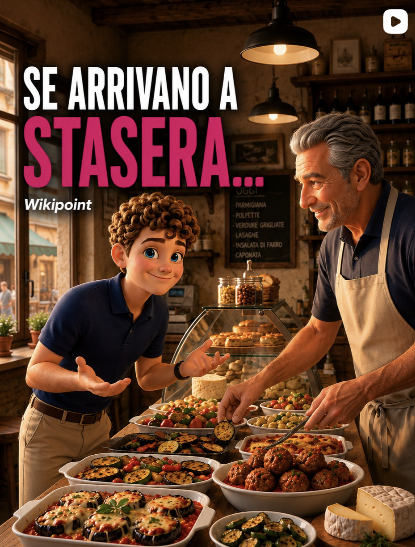
Your offers can reach people deciding where to go at the last minute.
An offer you update today could be someone’s choice tonight.

A QR code on the table opens a new way to discover your venue.
Even the table can invite customers to explore what you offer.
Sales, experiences and services, photography and content creation, affiliation: discover the collaboration that fits what you do.

Wikipoint is an AI platform for presenting a business and promoting what it offers. It brings information, content and an AI assistant together in one space you can update through WhatsApp, share with customers and make discoverable through the Wikipoint network.
Describe your business to create your Wikipoint. Then send updates and photos, including through WhatsApp, review the content, confirm publication and share your offers with customers.
With Wikipoint, you create new content and organise and make the most of the photos, text, menus and materials you already have. You bring them together in a website, social media content and an AI assistant that answers using information you have confirmed.
No. Describe your business in your own words and use photos, menus and materials you already have. Review the content and confirm what to publish.
Publish daily specials and special events, share them with your contacts and make them available for VIVA’s curated selections. VIVA is the Wikipoint service that helps people choose where to go. Your menu, business information and contact options remain accessible through the same link.
You can start with the Free plan at no cost. Maker costs €9.90 per month and includes a web page and an AI assistant, with usage limits and no custom domain. You can change plans or cancel at any time.
People asking AI for a recommendation need clear information about what you offer. With Wikipoint, you can create, organise and update your business content. It is a first step: whether external assistants can use it also depends on the content being technically accessible, and there is no guarantee that they will recommend your business.
Discover how Wikipoint works with a guided journey in 5 steps. Prepare a draft for your restaurant, then sign in and start your free trial.
Would you like to understand Wikipoint better or get in touch with our team? Fill in the form and tell us what you need.